DIVE DEEPER
AirTag Clip for Pencil
For AirTag Clip:
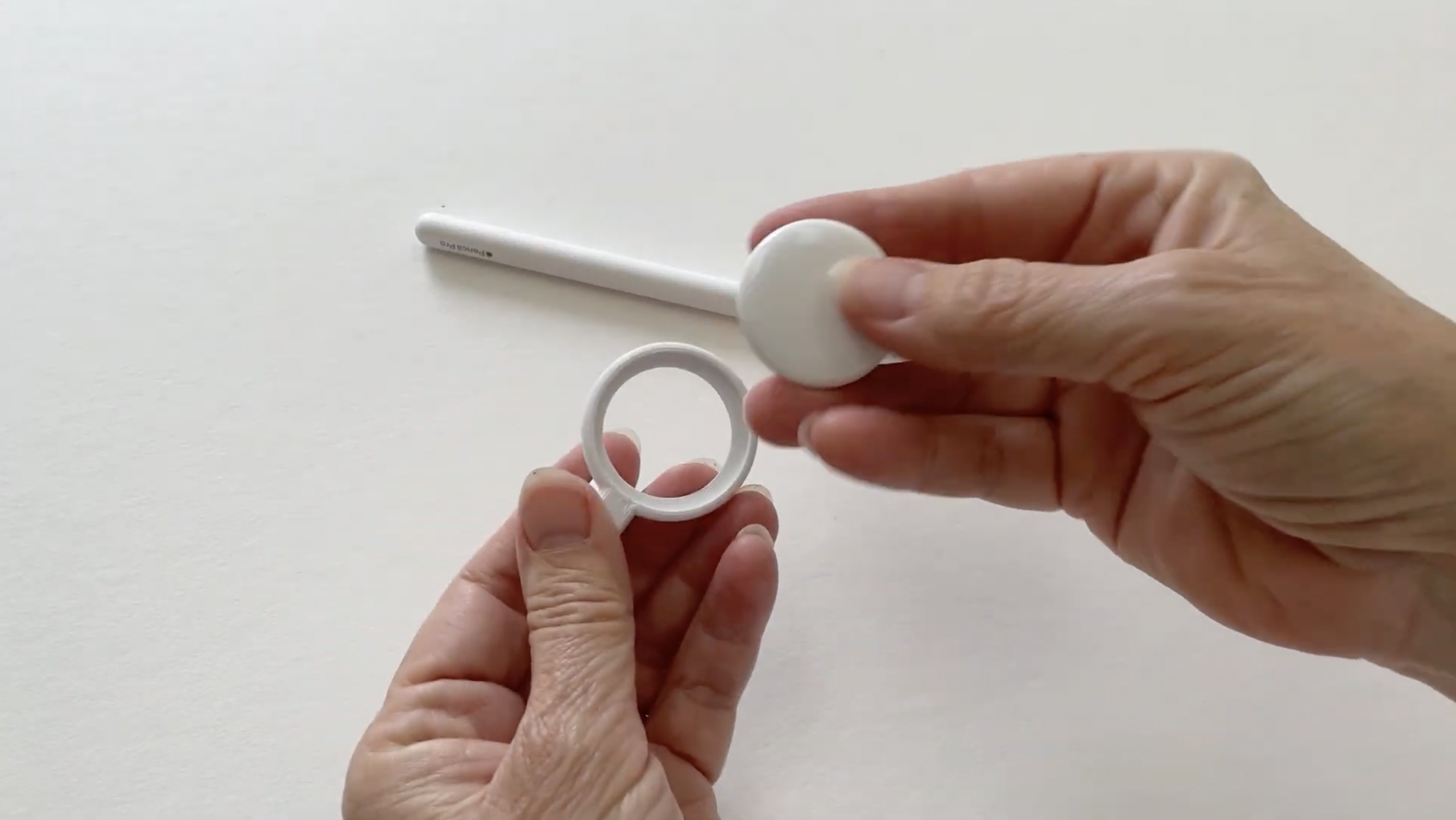
INSTRUCTIONS
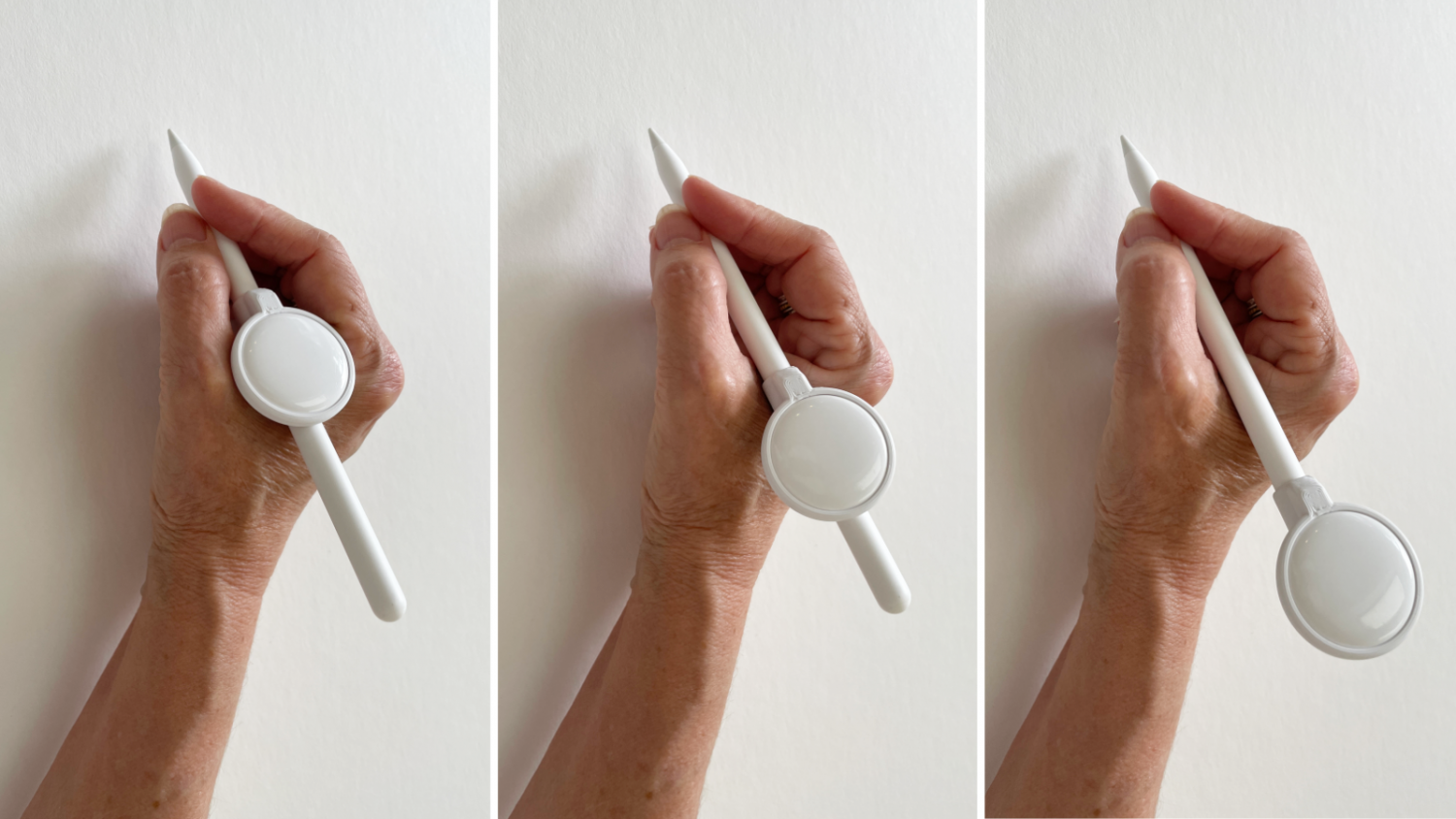
COMFORT TIP
The clip can slide up or down the Apple Pencil to match your grip style.
Lower position = slightly better balance
Higher position = less noticeable while writing
Experiment to find what feels best. Every Apple Pencil user holds their Pencil a little differently.
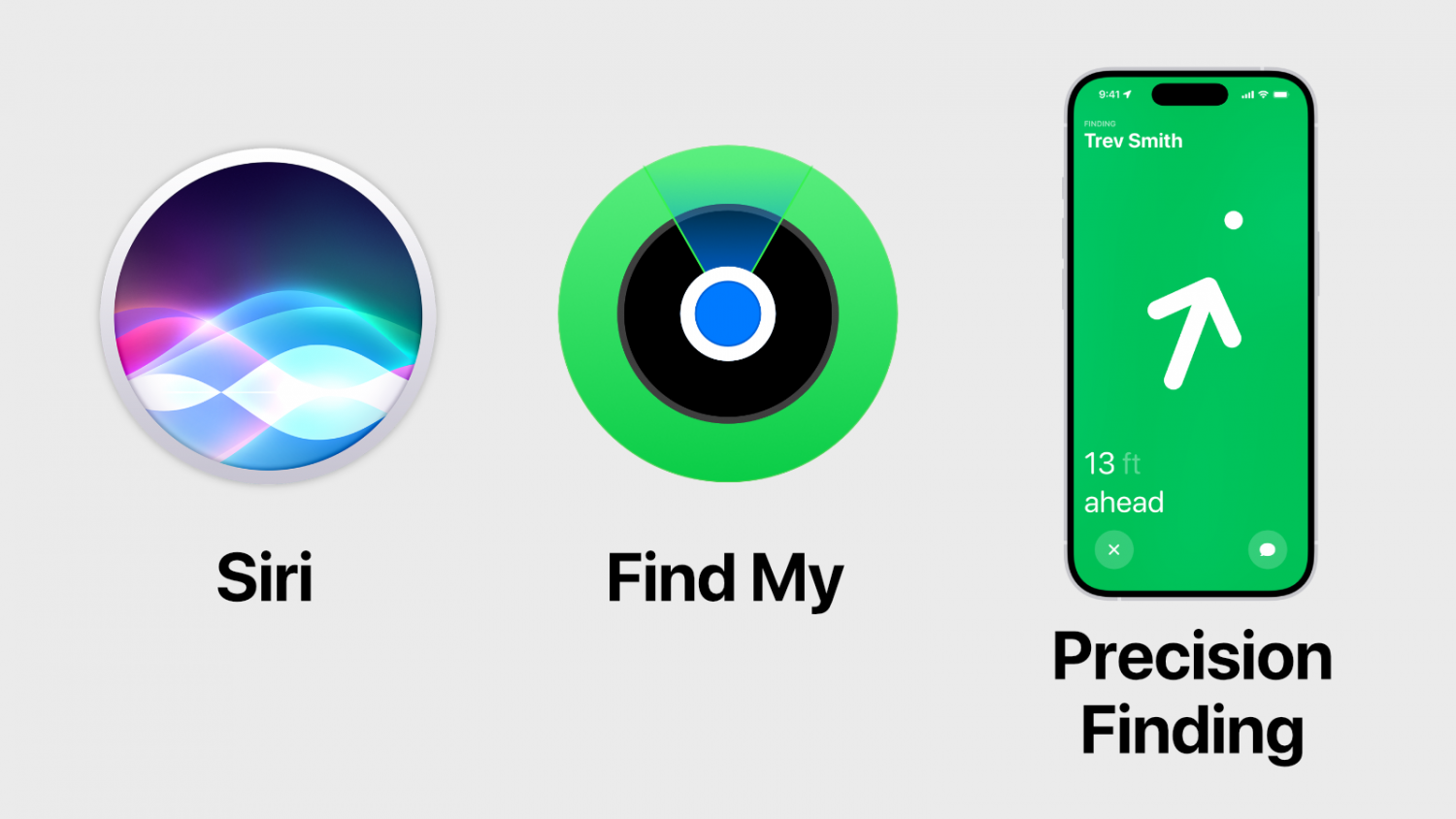
FINDING YOUR PENCIL
Ask Siri
“Hey Siri, where is my Apple Pencil?”
Open Find My
Locate your Pencil from your iPhone, iPad, or Mac.
Precision Finding
Compatible iPhones can guide you directly to the AirTag.
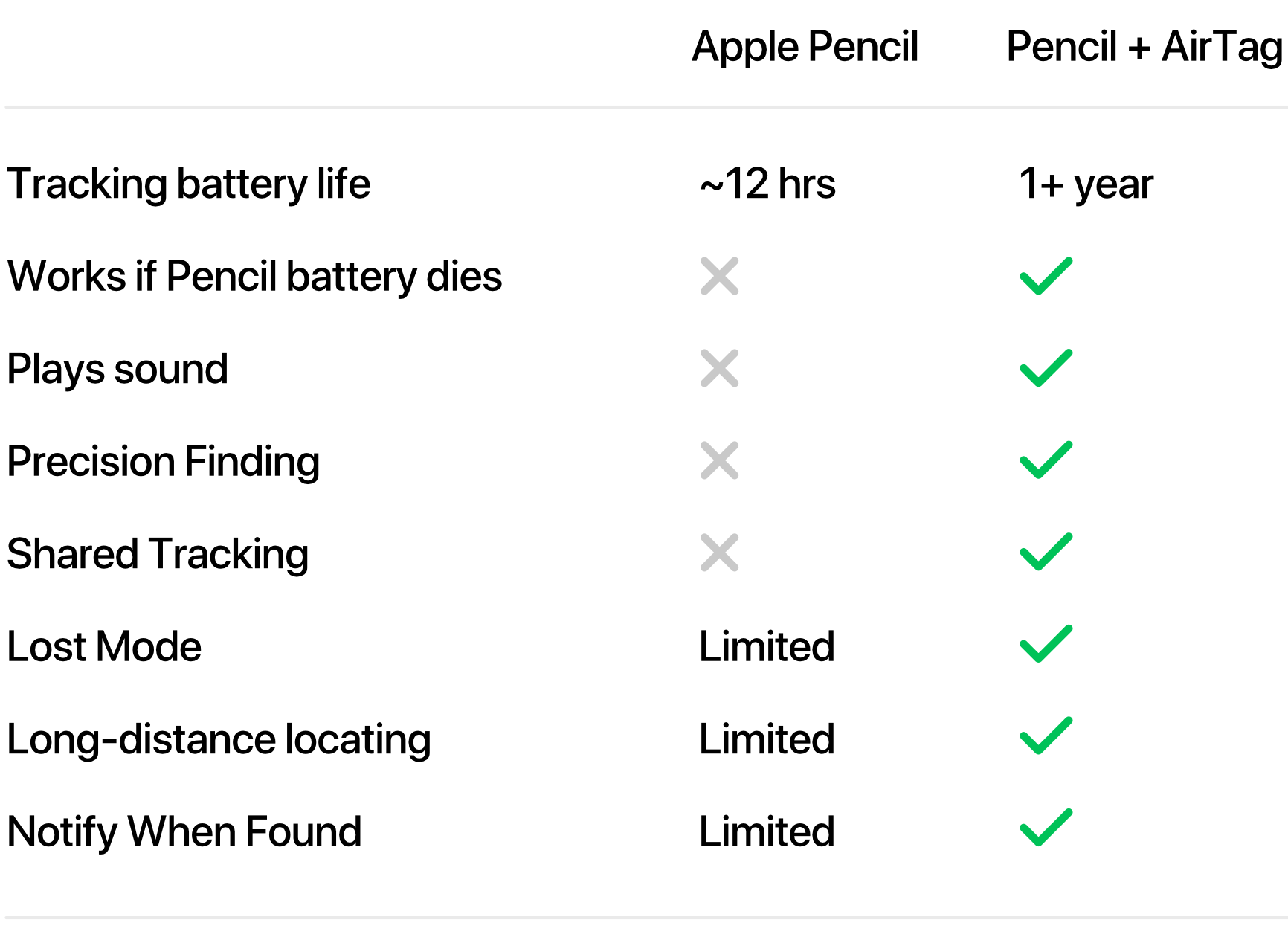
COMPARE
This lightweight clip securely holds an AirTag on your Apple Pencil, bringing the full power of Apple’s Find My network to one of the easiest Apple products to misplace.
FAQs
The clip is 3D printed using PLA+, a durable bioplastic chosen for its balance of strength, flexibility, and lightweight feel.
Yes. The clip is designed so magnetic charging remains fully functional.
Most users quickly forget it is there. The clip can also be moved along the Pencil to find the position that feels best for your grip.
No. AirTag is sold separately.
All Apple Pencils are compatible.